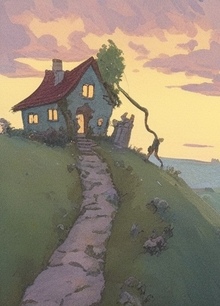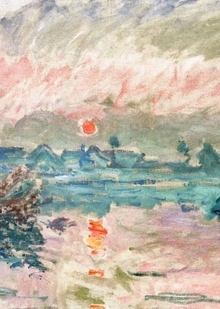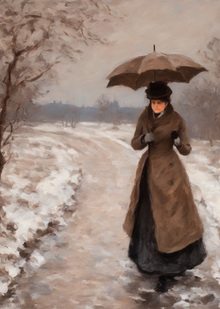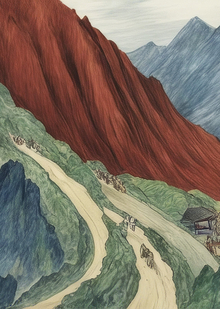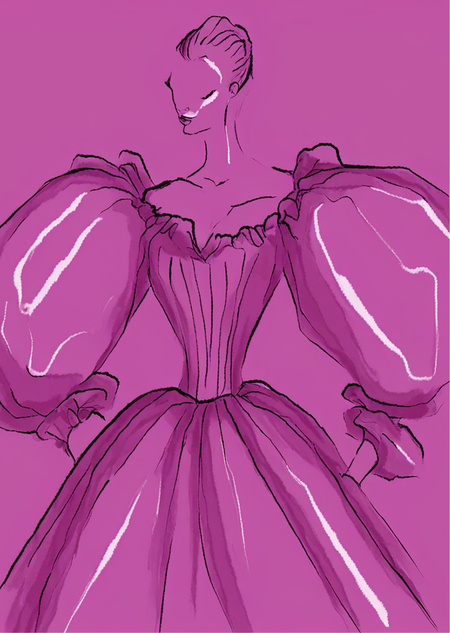
Concept
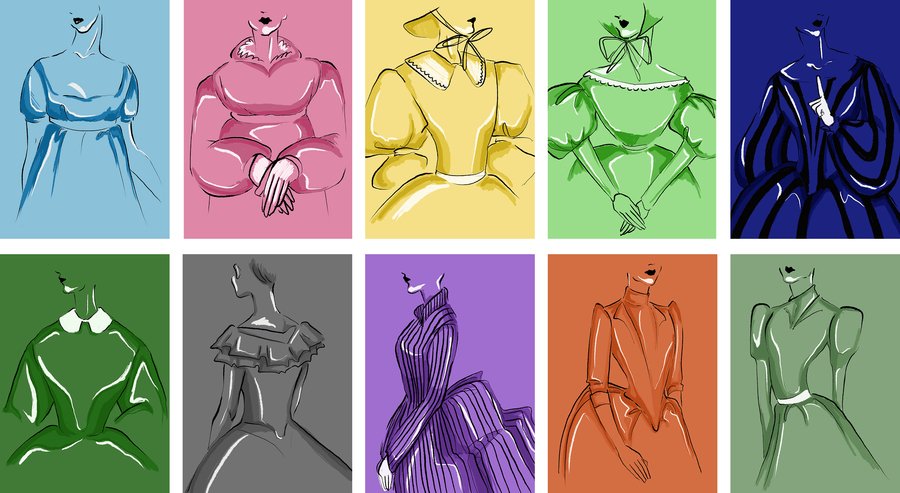
The initial starting point for the project was a series of illustrations created as part of a study into costume history from 1800 to 1990. The main objective was to examine how the silhouette, proportions, and characteristic elements of clothing evolved over nearly two centuries.
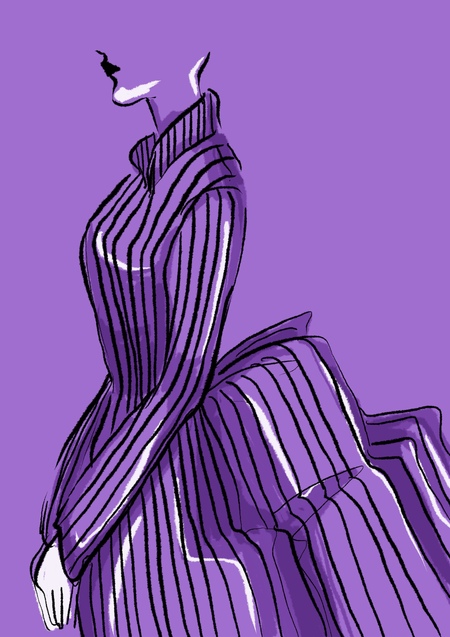
Despite the differences between the eras, the images are united by the same principle of stylization: emphasis on silhouette, exaggerated volume, simplified form, contrasting contour, and a limited color palette. Because of this, the historical costume is viewed not as a collection of separate garments, but as a sequence of transformations of the human body’s form through clothing. While the characteristic features of each era are preserved, they are translated into a unified visual system. The series allows one to trace the changes in the proportions and volumes of the costume while simultaneously highlighting the recurring shapes and elements that emerge across different historical periods.
In this project, I am continuing to work with this series, using the created illustrations to train a generative neural network. Based on them, the model learns the characteristic visual language of the series—including the nuances of silhouettes, proportions, lines, and stylization—and applies it when generating new images.
Source Images
Description of the learning process
The generative model Stable Diffusion XL (SDXL) was chosen as the foundation. Instead of completely retraining the model, we utilized the LoRA method, which allows for fine-tuning an existing model on a small, proprietary dataset to imbue it with its distinctive visual characteristics.
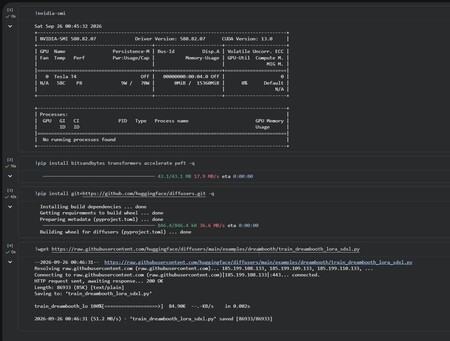
- Environment Setup The work begins with setting up the Google Colab environment and verifying GPU availability. Necessary libraries for working with the generative model are installed: Diffusers, Transformers, Accelerate, PEFT, and BitsAndBytes. Additionally, the script train_dreambooth_lora_sdxl.py is uploaded, which is intended for fine-tuning Stable Diffusion XL using the DreamBooth + LoRA method.
- Dataset Creation
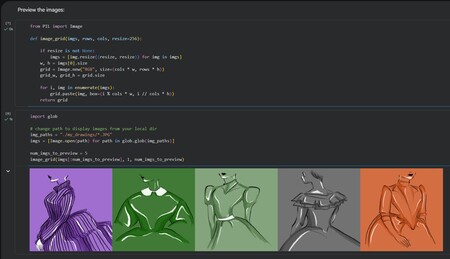
A separate directory,
my_drawings, is created for training images. Original illustrations are uploaded to this folder, forming the model’s initial dataset. After the images are uploaded, they are compiled into a single selection and displayed as thumbnails, allowing you to verify the dataset’s content before beginning training.
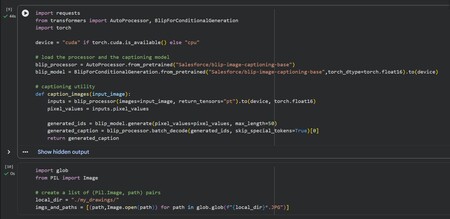
- Generating Image Descriptions The next step is creating textual descriptions for each image. This utilizes the BLIP Image Captioning model. BLIP analyzes each illustration and automatically generates a caption—a textual description of its content. This forms pairs: image ↔ text description
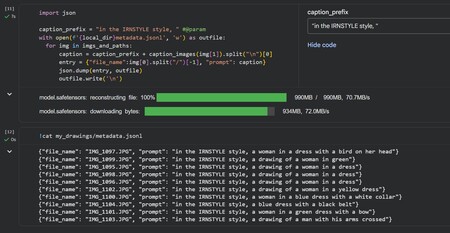
- Creating the IRNSTYLE Identifier Automatically generated descriptions are prefixed with: in the IRNSTYLE style, IRNSTYLE is used as a special identifier for the trained visual language. For example, the final caption is structured as: in the IRNSTYLE style, + image description
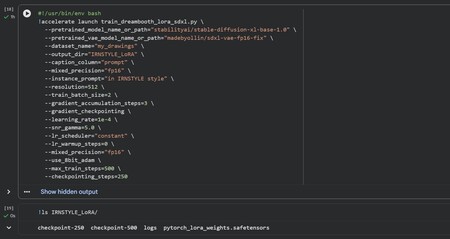
- The main training process is initiated. Images are processed at a resolution of 512×512 px, the batch size is 2 images, the learning rate is 1e-4, and the entire process is calculated for 500 steps. To reduce the load on the GPU, fp16, gradient checkpointing, and 8-bit Adam are used. Model checkpoints are saved every 250 steps, resulting in checkpoint-250 and checkpoint-500. The generated data is saved in the IRNSTYLE_LoRA directory.
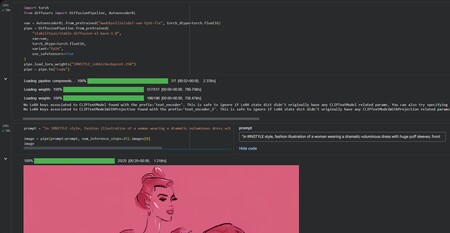
- Generation A text prompt is formed. For example: in IRNSTYLE style, fashion illustration of a woman wearing a dramatic voluminous dress. The IRNSTYLE element in the prompt invokes the learned visual language, while the rest of the prompt defines the content of the new image—the silhouette, clothing, volume, and other characteristics. Following this, an image is generated.
Generated Images
prompt = «in IRNSTYLE style, fashion illustration of a woman wearing a dramatic voluminous dress with huge puff sleeves, front view»
prompt = «in IRNSTYLE style, fashion illustration of a woman wearing an oversized Victorian-inspired dress with a wide skirt and large sleeves, upper body composition»
prompt = «in IRNSTYLE style, fashion illustration of a woman wearing a romantic dress with a large white Peter Pan collar and balloon sleeves, front view»
prompt = «in IRNSTYLE style, fashion illustration of a woman wearing a structured dress with exaggerated shoulders and a narrow waist, three-quarter view»
prompt = «in IRNSTYLE style, fashion illustration of a woman wearing a dramatic striped gown with an enormous skirt and sculptural sleeves, seated pose»
prompt = «in IRNSTYLE style, with light blue colors, fashion illustration of a woman wearing a dress with an off-the-shoulder ruffled neckline and long fitted sleeves, elegant pose»