ATLANT — AI Film Research Project (август 2025)
Проект создан мной для 1331 Studio по заказу Global Tech Forum 2025.
Основа — предоставленный сценарий режиссёра, который я адаптировал под реальные возможности нейросетей.
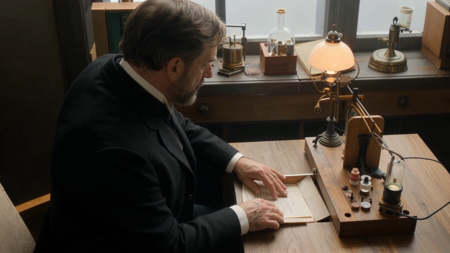
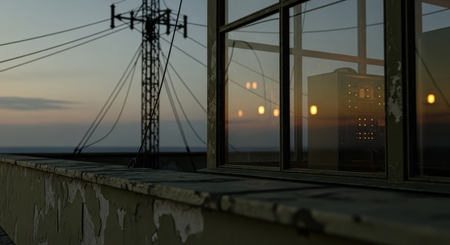
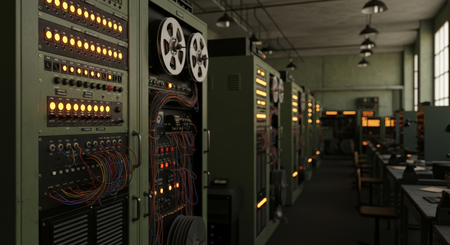
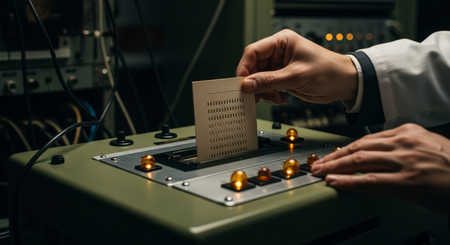
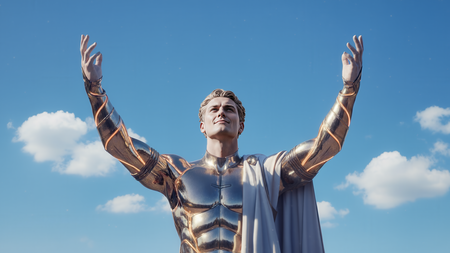
ATLANT — экспериментальный синематик, разработанный в августе 2025 года как визуальная интерпретация сценария режиссёра. Сценарий был предоставлен студией, и моя задача заключалась в том, чтобы адаптировать его под технические возможности нейросетей и реализовать визуально настолько глубоко, насколько позволяли технологии августа 2025 года.
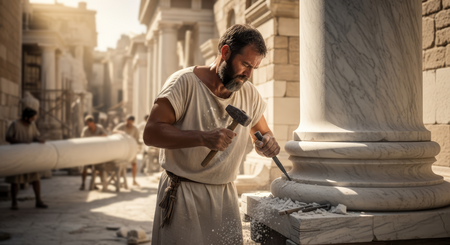
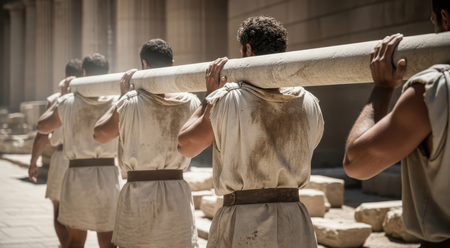
Работа строилась вокруг чёткой драматургии: исторического маршрута человечества — от каменного века до эпохи цифрового сознания.
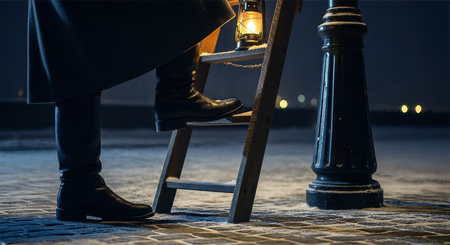
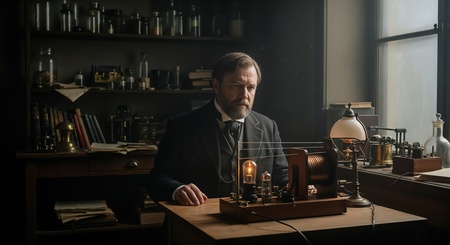
Каждая сцена создавалась вручную — с подбором света, визуальных акцентов, характерных текстур и монтажных переходов (камень, пар, металл, электричество, вычисления, цифровая сеть).
В проекте были использованы практически все актуальные AI-инструменты на момент августа 2025 года, объединённые в единую систему и адаптированные под структуру сценария.
ATLANT — пример работы с нейросетями на основе предоставленного сценария, с профессиональной адаптацией под реальный AI-пайплайн, выполненный мной в сотрудничестве с 1331 Studio и Global Tech Forum 2025.
Original size 1920x1080
Автор: Новиков Роман
Телефон: 8 909 942-78-52
Telegram: @vpanamee
Роман Новиков создал AI-фильм ATLANT в августе 2025 года как визуальную интерпретацию сценария режиссёра, адаптированного под нейросети. Проект включает ручное создание сцен с исторической драматургией и использованием всех актуальных AI-инструментов того времени.
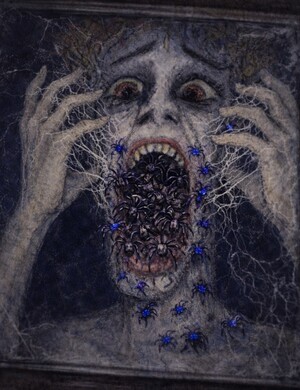
Анна Лобачева создала визуальный проект, изображающий арахнофобию как метафору внутренней ложи, пожирающей человека изнутри. Проект включает тексты и изображения, созданные с использованием AI-инструментов, включая скетч пастелью и финальную генерацию.
Паразитические пауки заменяют человеческую плоть паутиной, сохраняя жертву живой. Момент перед зеркалом — осознание, когда пальцы вытягивают нити из собственной кожи, а рот извергает колонию. Буквальная арахнофобия и метафора того, как внутренняя ложь пожирает человека изнутри.
Наталья Сероус создала визуальную историю о призраке, возникшем из невысказанного прощания и непокоящих воспоминаний. Проект включает в себя VFX Breakdown и подробный список использованных 3D-ассетов и музыки из атмосферного кино «A Ghost Story».
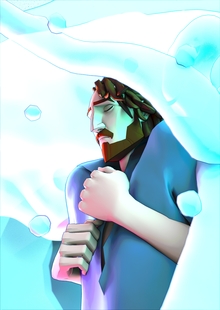
Антонина Щур создала короткую прозу, в которой мужчина находит необычное утешение у инопланетного существа. Проект исследует тему исцеления через полную эмоциональную зависимость и уязвимость.
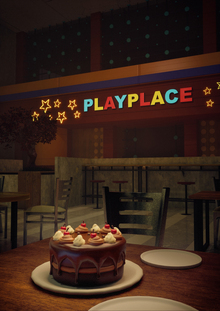
Авторы Полина Кузнецова и Мария Стаценко создали интерактивную историю в формате синематика с элементами игры и анимации. Проект включает в себя кат-сцены, мини-игру и работу с блюпринтами, а также тексты, связанные с темой дня рождения и космоса.
We use cookies to improve the operation of the HSE website and to enhance its usability. More detailed information on the use of cookies can be fou...
Show more
Press space bar to start a drag.
When dragging you can use the arrow keys to move the item around and escape to cancel.
Some screen readers may require you to be in focus mode or to use your pass through key
Press space bar to start a drag.
When dragging you can use the arrow keys to move the item around and escape to cancel.
Some screen readers may require you to be in focus mode or to use your pass through key
Press space bar to start a drag.
When dragging you can use the arrow keys to move the item around and escape to cancel.
Some screen readers may require you to be in focus mode or to use your pass through key
Press space bar to start a drag.
When dragging you can use the arrow keys to move the item around and escape to cancel.
Some screen readers may require you to be in focus mode or to use your pass through key
Press space bar to start a drag.
When dragging you can use the arrow keys to move the item around and escape to cancel.
Some screen readers may require you to be in focus mode or to use your pass through key
Press space bar to start a drag.
When dragging you can use the arrow keys to move the item around and escape to cancel.
Some screen readers may require you to be in focus mode or to use your pass through key
Press space bar to start a drag.
When dragging you can use the arrow keys to move the item around and escape to cancel.
Some screen readers may require you to be in focus mode or to use your pass through key
Press space bar to start a drag.
When dragging you can use the arrow keys to move the item around and escape to cancel.
Some screen readers may require you to be in focus mode or to use your pass through key
Press space bar to start a drag.
When dragging you can use the arrow keys to move the item around and escape to cancel.
Some screen readers may require you to be in focus mode or to use your pass through key
Press space bar to start a drag.
When dragging you can use the arrow keys to move the item around and escape to cancel.
Some screen readers may require you to be in focus mode or to use your pass through key
Press space bar to start a drag.
When dragging you can use the arrow keys to move the item around and escape to cancel.
Some screen readers may require you to be in focus mode or to use your pass through key
Press space bar to start a drag.
When dragging you can use the arrow keys to move the item around and escape to cancel.
Some screen readers may require you to be in focus mode or to use your pass through key
Press space bar to start a drag.
When dragging you can use the arrow keys to move the item around and escape to cancel.
Some screen readers may require you to be in focus mode or to use your pass through key
Press space bar to start a drag.
When dragging you can use the arrow keys to move the item around and escape to cancel.
Some screen readers may require you to be in focus mode or to use your pass through key
Press space bar to start a drag.
When dragging you can use the arrow keys to move the item around and escape to cancel.
Some screen readers may require you to be in focus mode or to use your pass through key
Press space bar to start a drag.
When dragging you can use the arrow keys to move the item around and escape to cancel.
Some screen readers may require you to be in focus mode or to use your pass through key
Press space bar to start a drag.
When dragging you can use the arrow keys to move the item around and escape to cancel.
Some screen readers may require you to be in focus mode or to use your pass through key
Press space bar to start a drag.
When dragging you can use the arrow keys to move the item around and escape to cancel.
Some screen readers may require you to be in focus mode or to use your pass through key