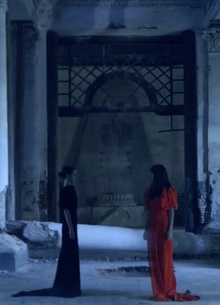
HARD BY HSE ART AND DESIGN SCHOOL — совместный бренд студентов направления «Мода» Школы дизайна НИУ ВШЭ. HARD работает как творческая лаборатория, которая каждый год формируется заново для создания новой коллекции.
Исследуя культурные контексты и экспериментируя с формами и кроем, молодые дизайнеры говорят о том, что их вдохновляет и волнует, показывают свое видение актуальной моды. Итогом является показ, который делают участники лаборатории. Показы HARD BY HSE ART AND DESIGN SCHOOL проходят в рамках недель моды, на фестивалях и городских площадках.
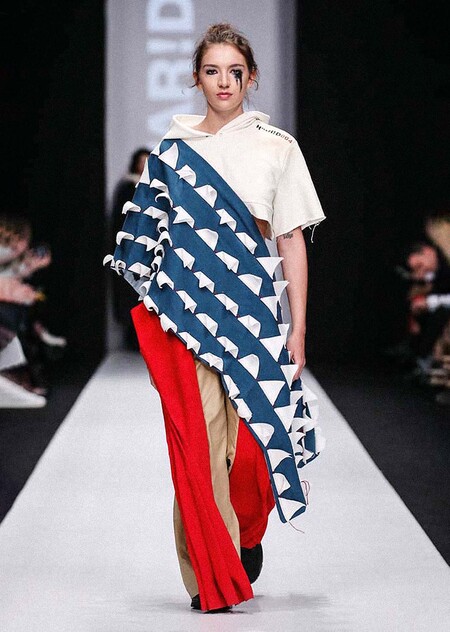
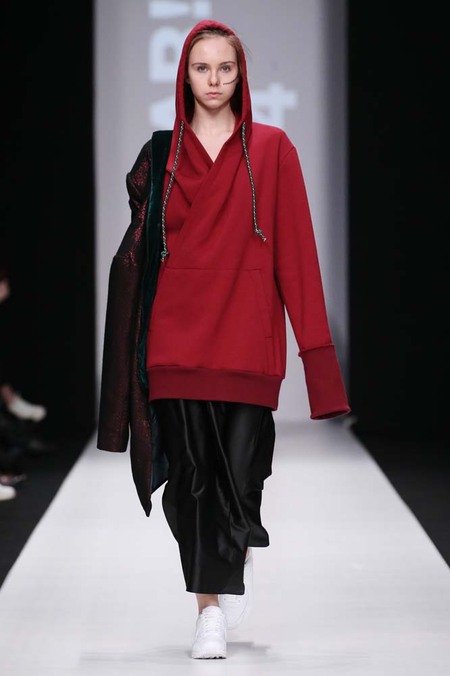
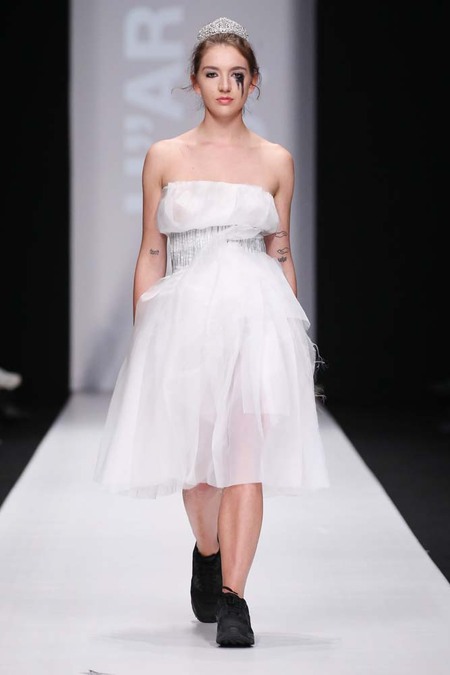
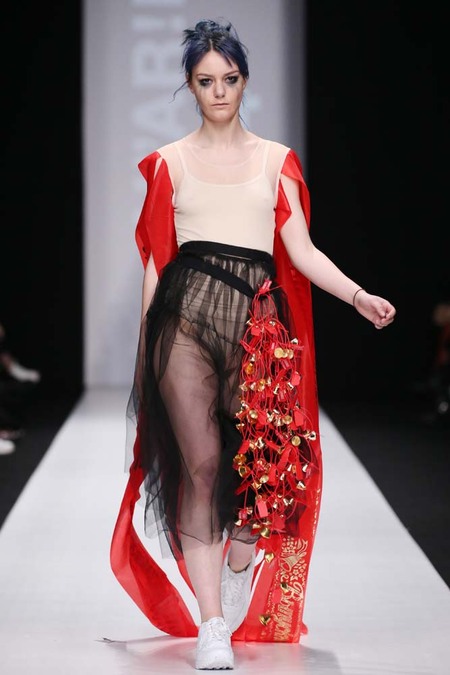
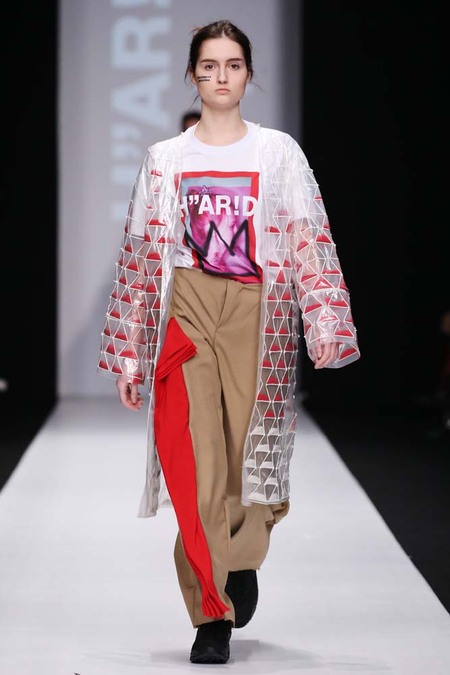
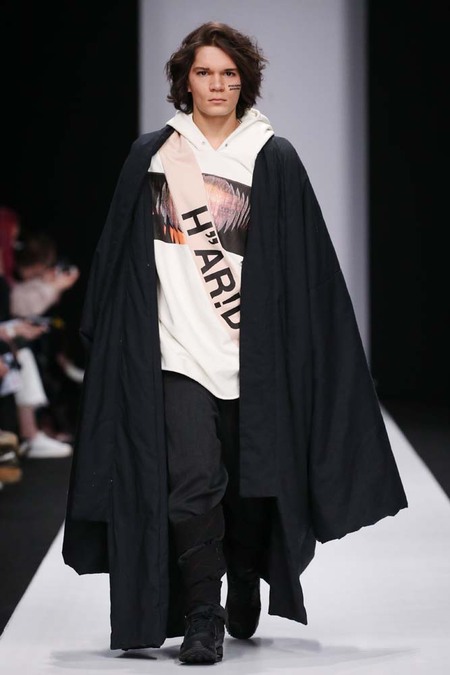
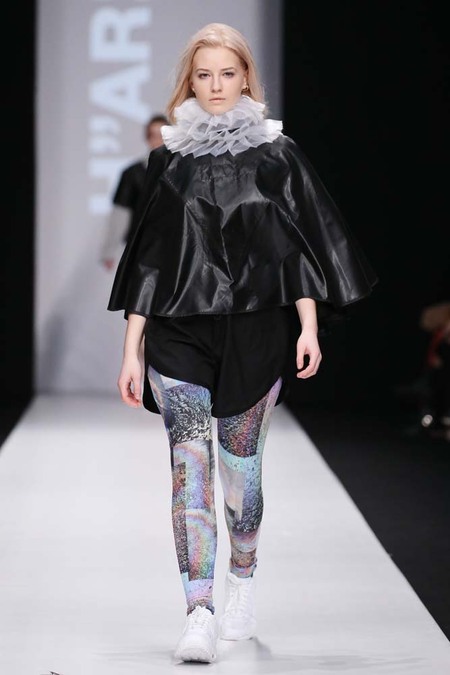
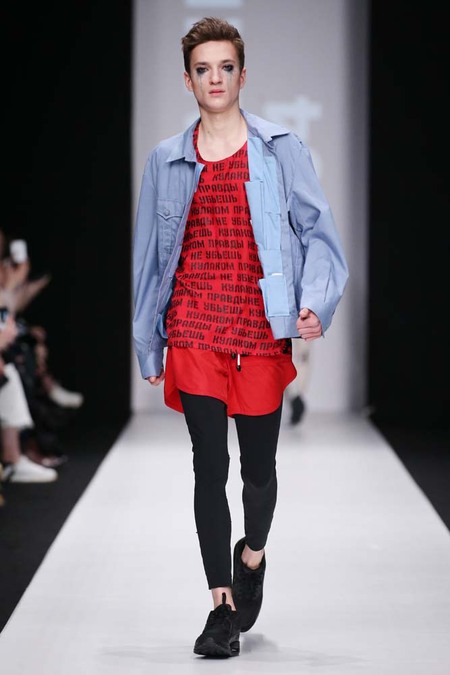
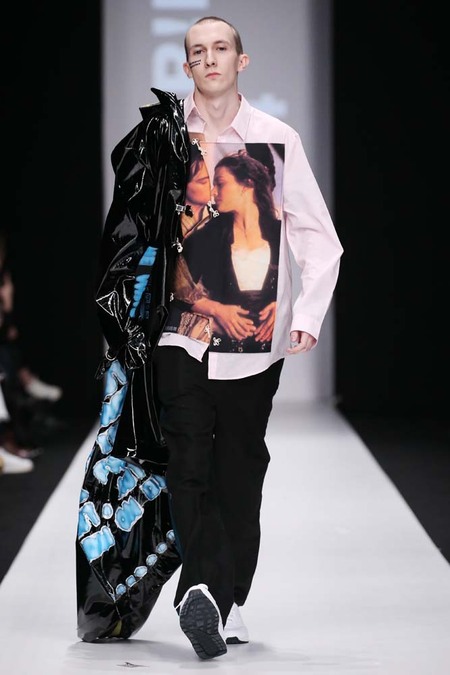
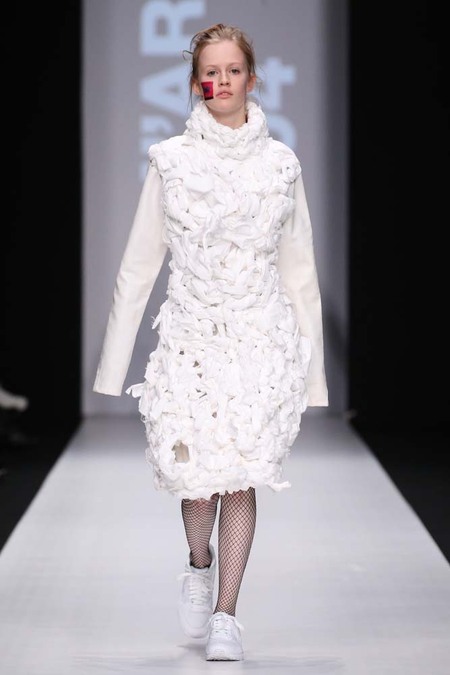
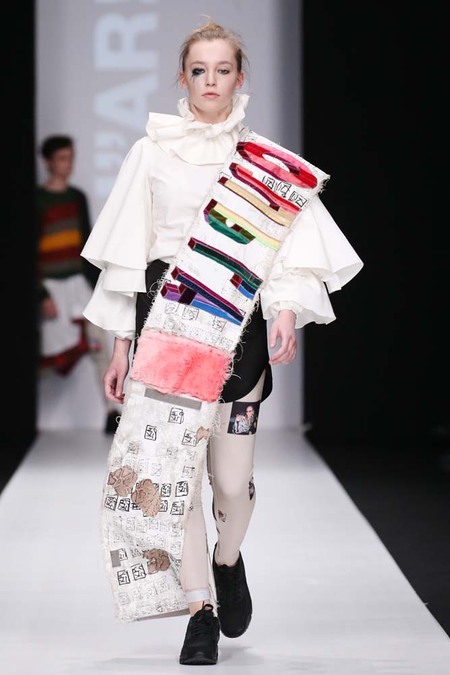
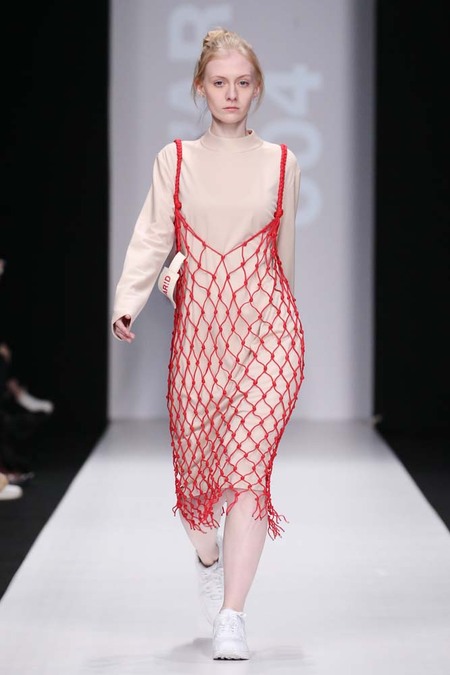
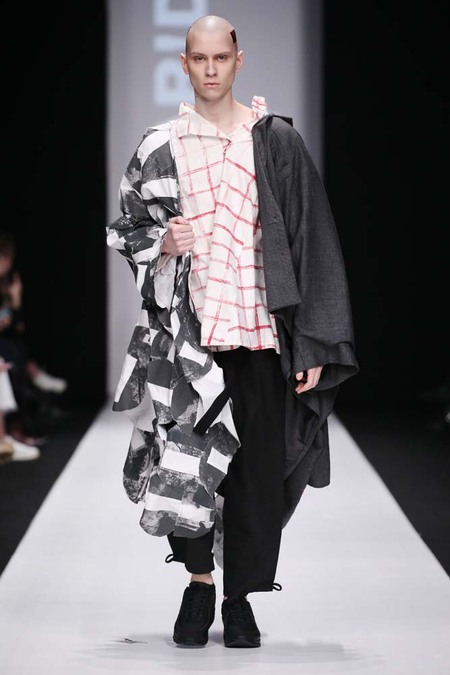
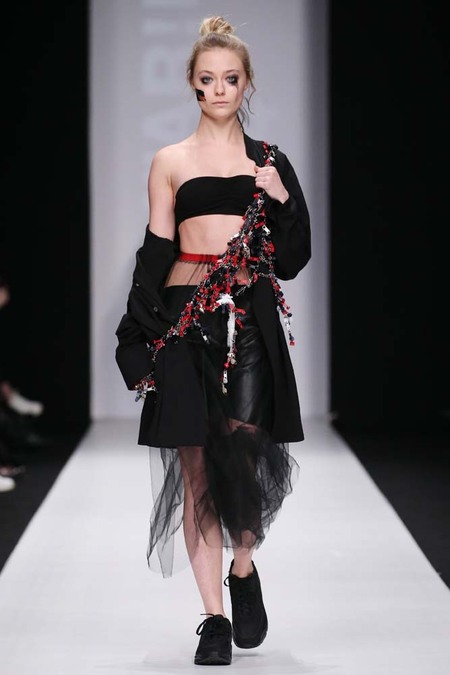
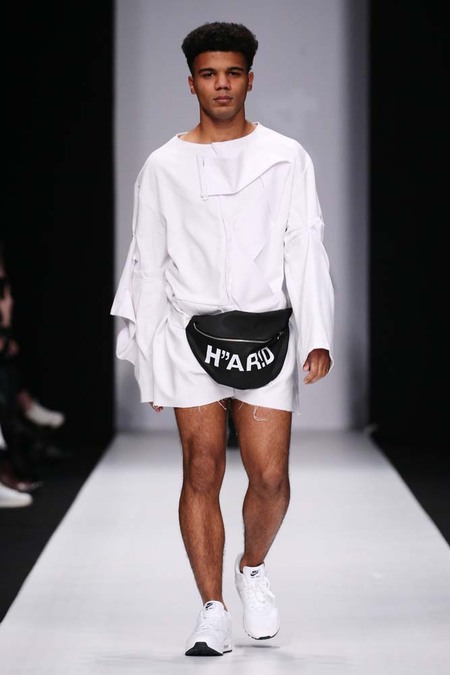
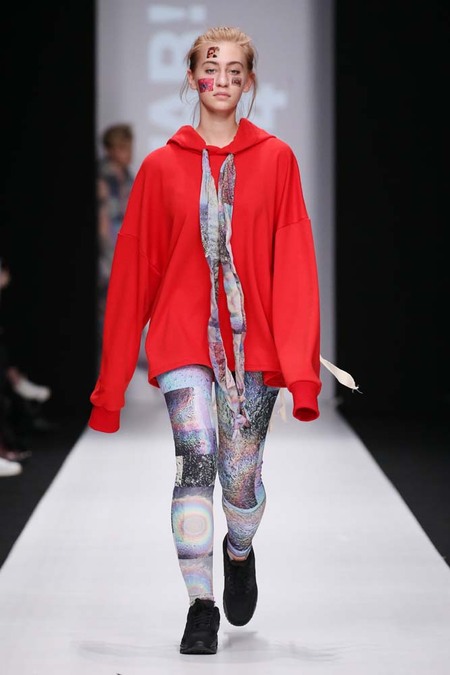
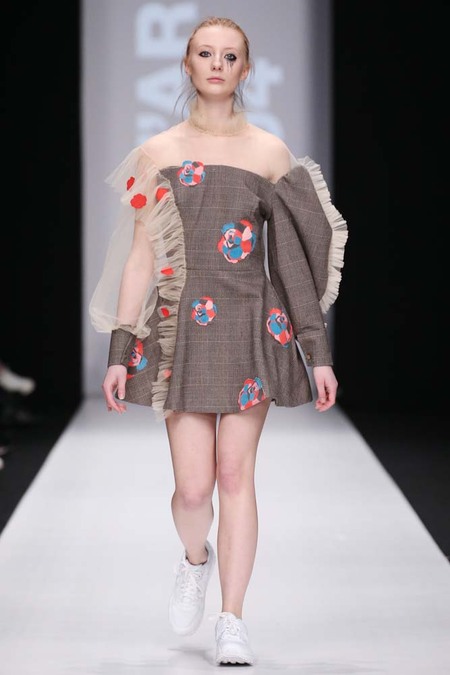
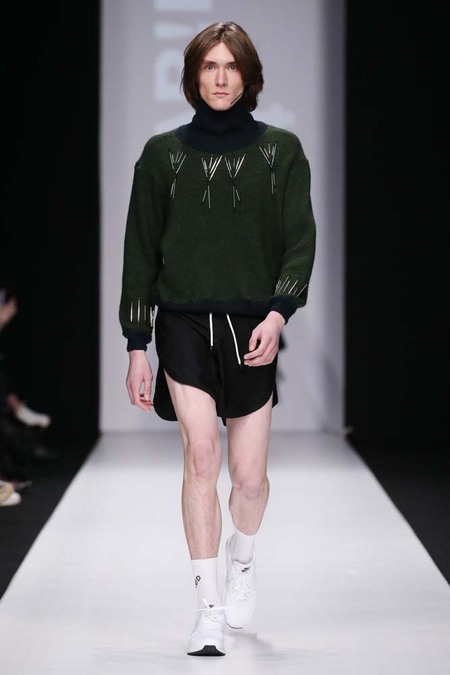
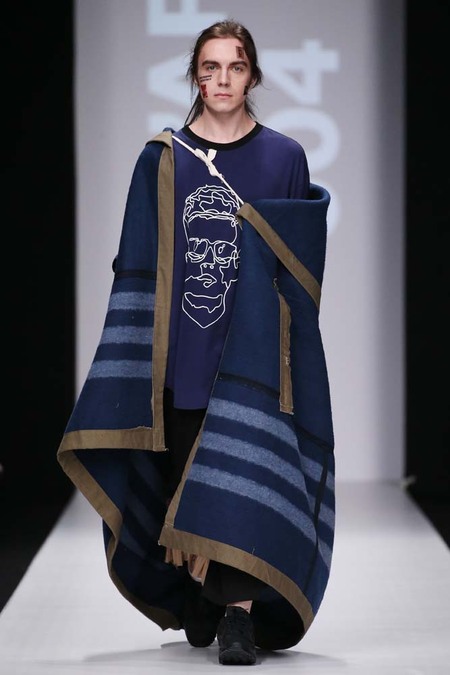
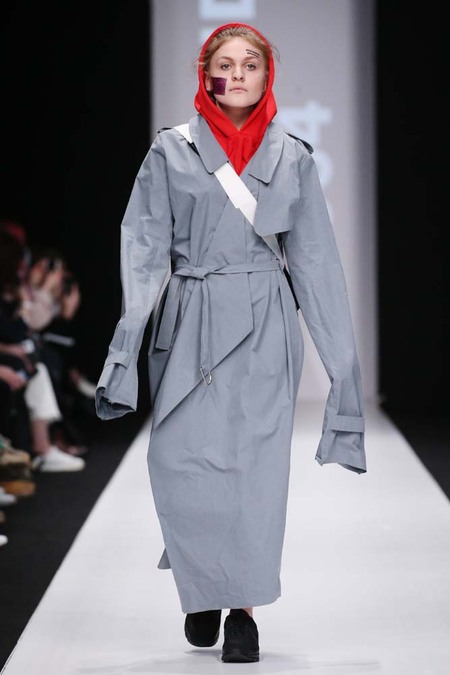
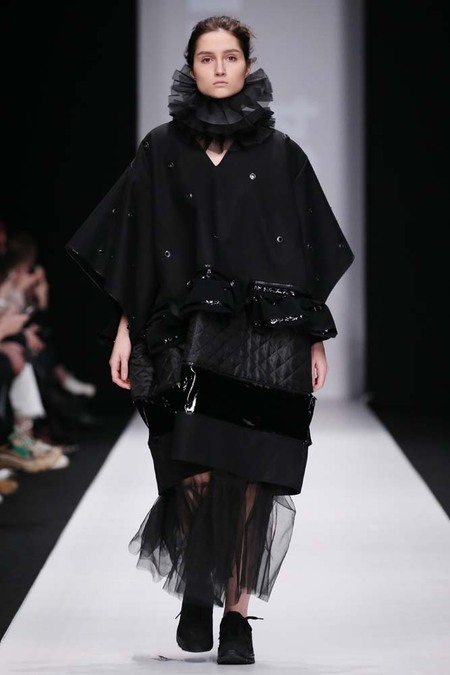
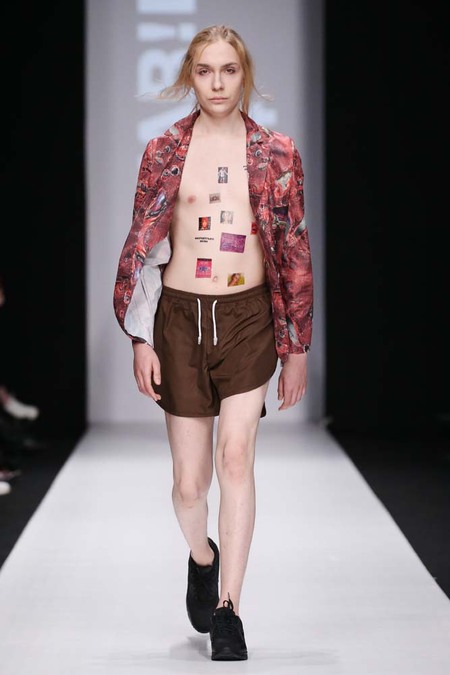
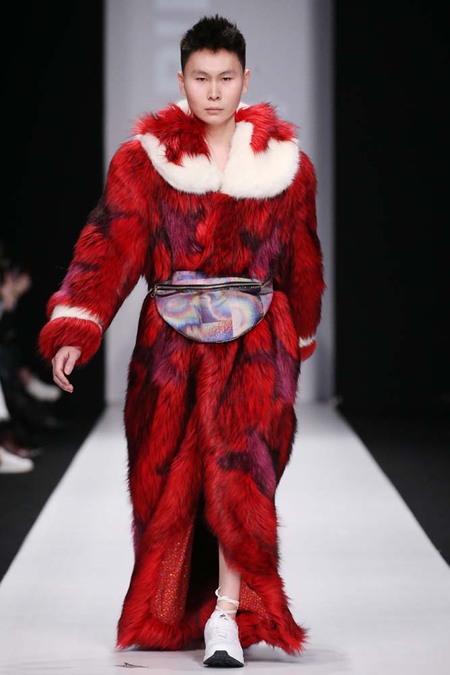
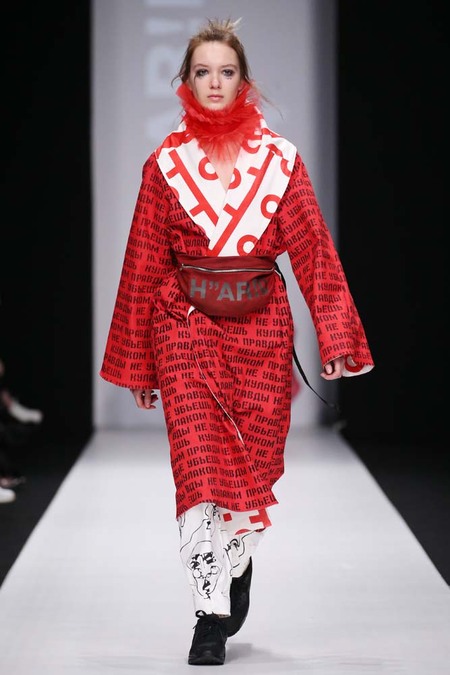
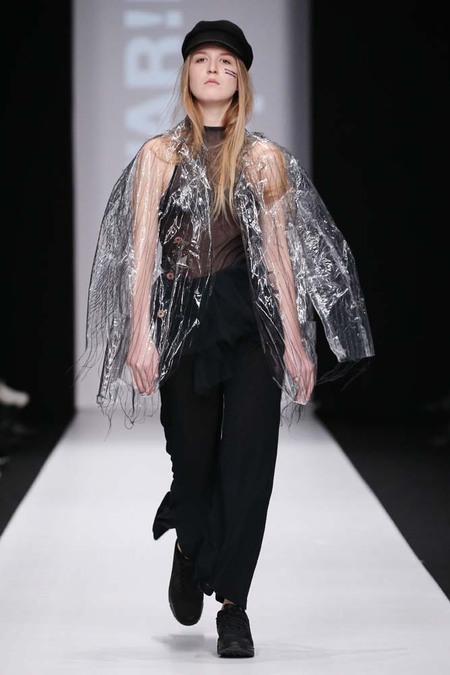
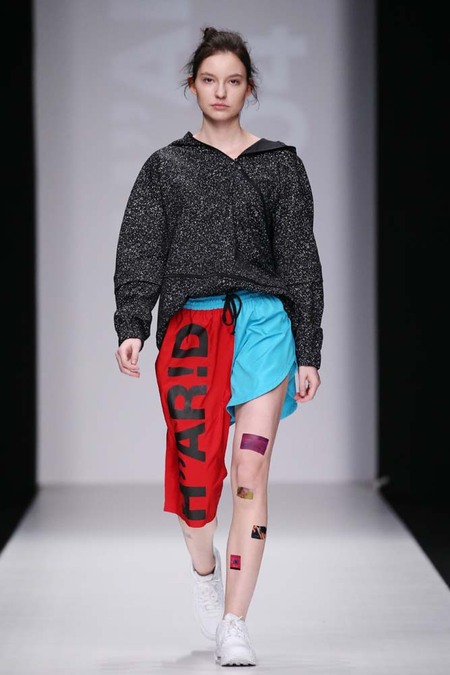
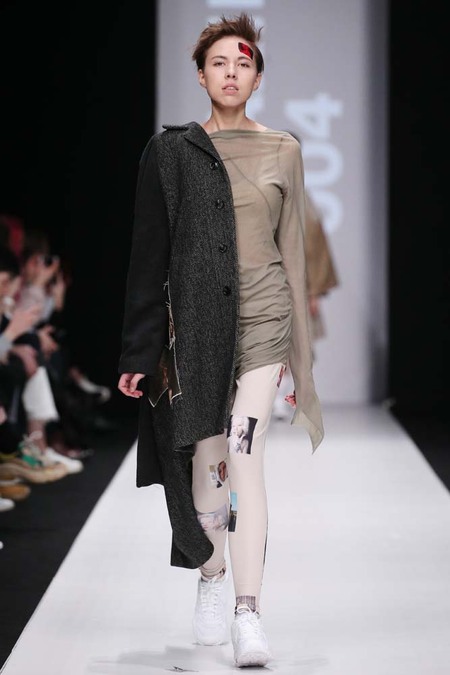
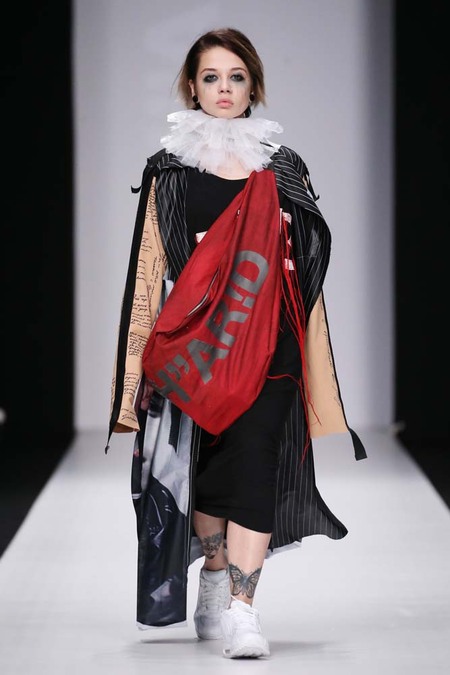
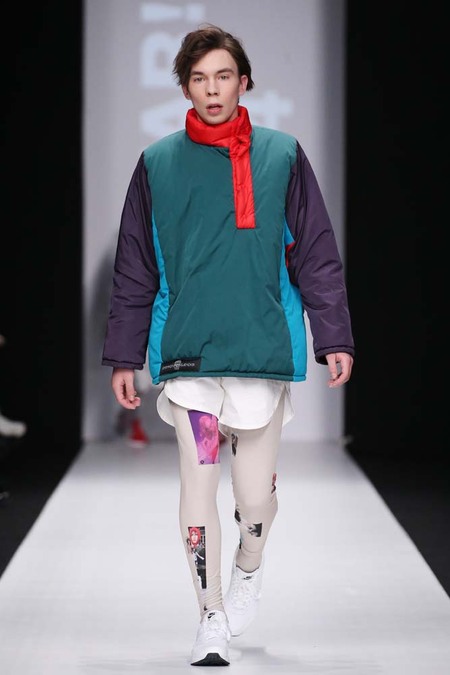
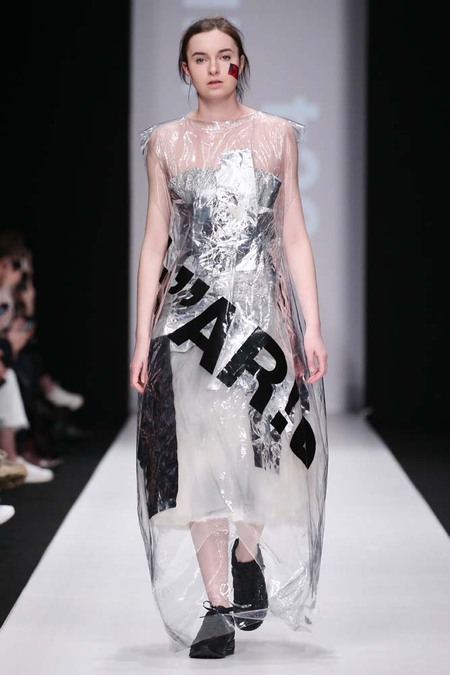
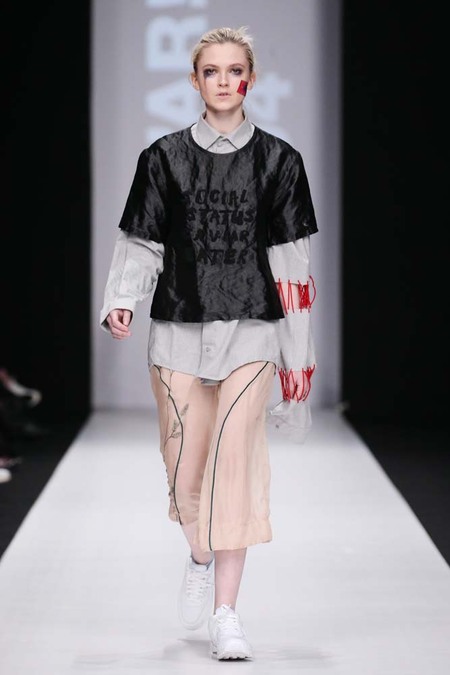
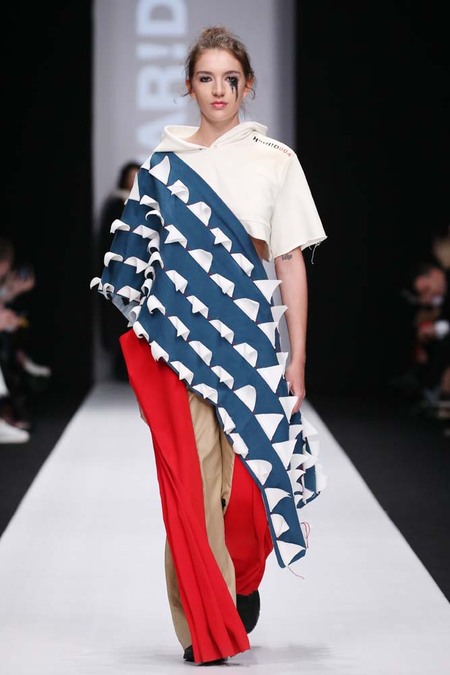
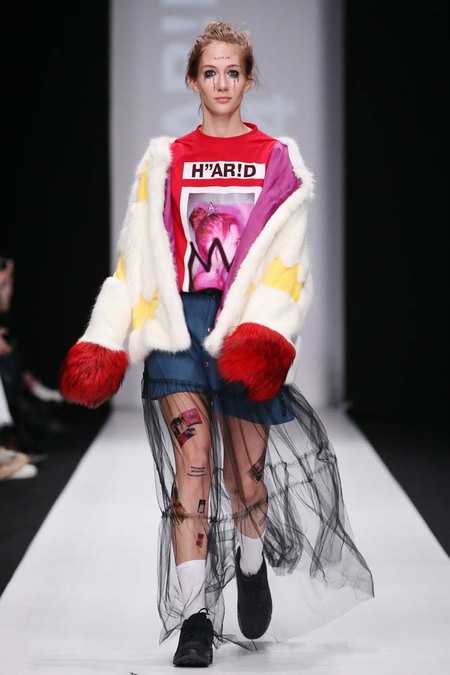
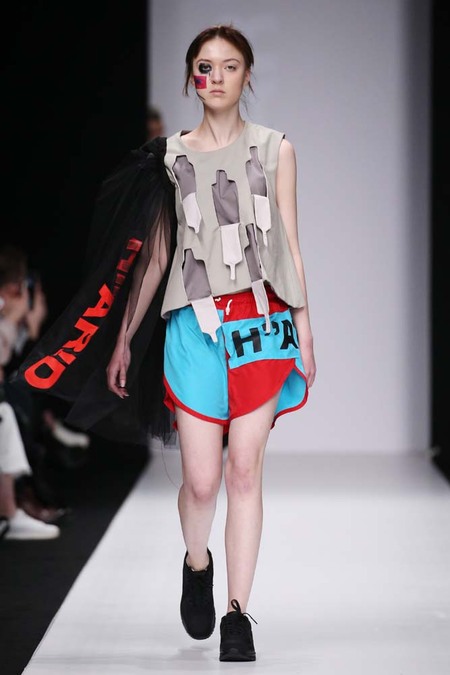
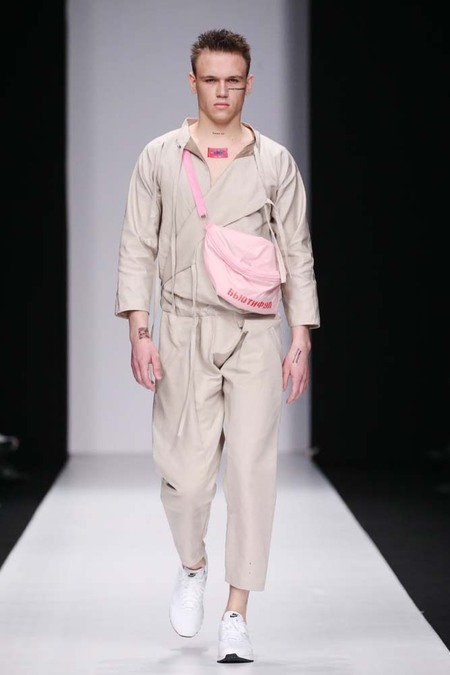
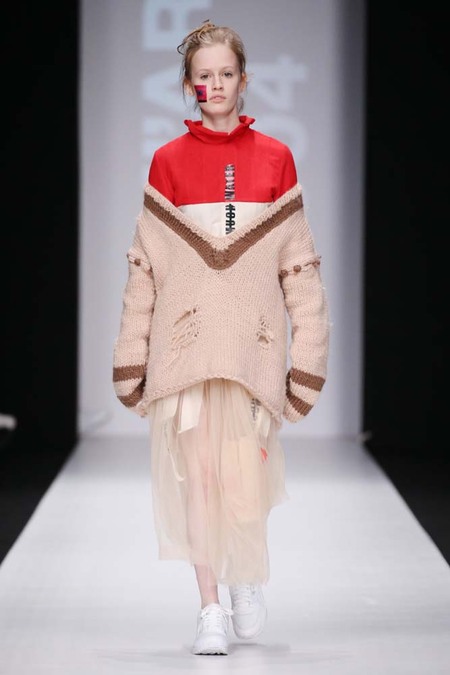
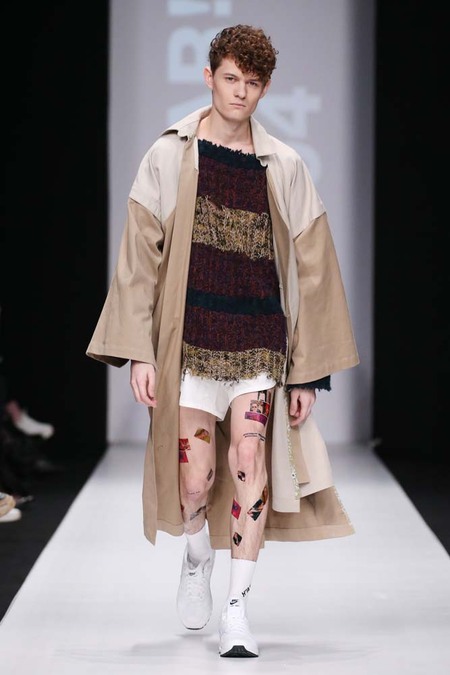
Коллекция HARD 004 представляет работы студентов тертьего курса профиля «Дизайн одежды». В этом году студенты работали под лозунгом «Навсегда юность», исследуя тему «духа юности» средствами фэшн-дизайна. Молодые дизайнеры показали яркую смесь из уличной моды, исторических аллюзий и иронии: от деконструированных оверсайз-пальто и голландских кружевных воротников до объемных худи и брючного костюма с иронически обыгранной лентой выпускника.
HARD 004: Навсегда юность. Mercedes-Benz Fashion Week Russia. 14 марта 2018
HSE Fashion представила коллекцию HARD 004, созданную студентами Школы дизайна НИУ ВШЭ для Mercedes-Benz Fashion Week Russia 14 марта 2018 года. Проект включал исследования темы «духа юности» через смесь уличной моды, исторических элементов и ироничных деталей в дизайне.
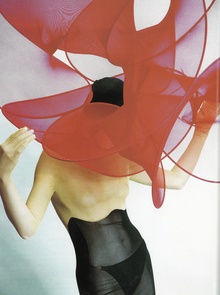
Hse Fashion Archive представил материалы журнала Jalouse, посвящённые российским дизайнерам и моде 2000-х годов. Проект включает снимки, интервью и аналитические статьи, отражающие культурные и творческие особенности эпохи.
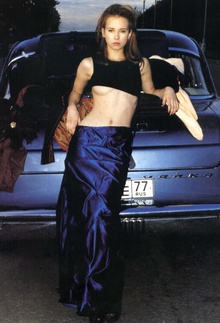
Hse Fashion Archive опубликовал интервью с Игорем Шулинским о развитии моды и клубной культуре в 1990-х годах в Москве. Проект включает в себя тексты, фотографии и исторические детали, связанные с журналом «Птюч» и его влиянием на российскую модную сцену.
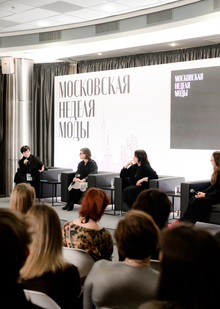
Hse Fashion Archive подготовил паблик-ток на Московской неделе моды, посвящённый вопросам создания архива российской моды и его значению для индустрии. Проект включает интервью с ключевыми фигурами модной сцены и обсуждение сохранения истории моды, включая цифровую архивацию и региональные аспекты.
Проект «Архив российской моды» подготовил расшифровку дискуссии о роли фэшн-фильмов в моде и кино, прошедшей в Музее Москвы 1 февраля 2024 года. В мероприятии участвовали эксперты, обсудившие историю, жанры и будущее фэшн-фильмов, а также показали работы брендов Tegin, Inshade и Дарьи Лукаш.
We use cookies to improve the operation of the HSE website and to enhance its usability. More detailed information on the use of cookies can be fou...
Show more
Press space bar to start a drag.
When dragging you can use the arrow keys to move the item around and escape to cancel.
Some screen readers may require you to be in focus mode or to use your pass through key
Press space bar to start a drag.
When dragging you can use the arrow keys to move the item around and escape to cancel.
Some screen readers may require you to be in focus mode or to use your pass through key
Press space bar to start a drag.
When dragging you can use the arrow keys to move the item around and escape to cancel.
Some screen readers may require you to be in focus mode or to use your pass through key
Press space bar to start a drag.
When dragging you can use the arrow keys to move the item around and escape to cancel.
Some screen readers may require you to be in focus mode or to use your pass through key
Press space bar to start a drag.
When dragging you can use the arrow keys to move the item around and escape to cancel.
Some screen readers may require you to be in focus mode or to use your pass through key
Press space bar to start a drag.
When dragging you can use the arrow keys to move the item around and escape to cancel.
Some screen readers may require you to be in focus mode or to use your pass through key
Press space bar to start a drag.
When dragging you can use the arrow keys to move the item around and escape to cancel.
Some screen readers may require you to be in focus mode or to use your pass through key
Press space bar to start a drag.
When dragging you can use the arrow keys to move the item around and escape to cancel.
Some screen readers may require you to be in focus mode or to use your pass through key
Press space bar to start a drag.
When dragging you can use the arrow keys to move the item around and escape to cancel.
Some screen readers may require you to be in focus mode or to use your pass through key
Press space bar to start a drag.
When dragging you can use the arrow keys to move the item around and escape to cancel.
Some screen readers may require you to be in focus mode or to use your pass through key
Press space bar to start a drag.
When dragging you can use the arrow keys to move the item around and escape to cancel.
Some screen readers may require you to be in focus mode or to use your pass through key
Press space bar to start a drag.
When dragging you can use the arrow keys to move the item around and escape to cancel.
Some screen readers may require you to be in focus mode or to use your pass through key
Press space bar to start a drag.
When dragging you can use the arrow keys to move the item around and escape to cancel.
Some screen readers may require you to be in focus mode or to use your pass through key
Press space bar to start a drag.
When dragging you can use the arrow keys to move the item around and escape to cancel.
Some screen readers may require you to be in focus mode or to use your pass through key
Press space bar to start a drag.
When dragging you can use the arrow keys to move the item around and escape to cancel.
Some screen readers may require you to be in focus mode or to use your pass through key
Press space bar to start a drag.
When dragging you can use the arrow keys to move the item around and escape to cancel.
Some screen readers may require you to be in focus mode or to use your pass through key
Press space bar to start a drag.
When dragging you can use the arrow keys to move the item around and escape to cancel.
Some screen readers may require you to be in focus mode or to use your pass through key
Press space bar to start a drag.
When dragging you can use the arrow keys to move the item around and escape to cancel.
Some screen readers may require you to be in focus mode or to use your pass through key
Press space bar to start a drag.
When dragging you can use the arrow keys to move the item around and escape to cancel.
Some screen readers may require you to be in focus mode or to use your pass through key
Press space bar to start a drag.
When dragging you can use the arrow keys to move the item around and escape to cancel.
Some screen readers may require you to be in focus mode or to use your pass through key
Press space bar to start a drag.
When dragging you can use the arrow keys to move the item around and escape to cancel.
Some screen readers may require you to be in focus mode or to use your pass through key
Press space bar to start a drag.
When dragging you can use the arrow keys to move the item around and escape to cancel.
Some screen readers may require you to be in focus mode or to use your pass through key
Press space bar to start a drag.
When dragging you can use the arrow keys to move the item around and escape to cancel.
Some screen readers may require you to be in focus mode or to use your pass through key
Press space bar to start a drag.
When dragging you can use the arrow keys to move the item around and escape to cancel.
Some screen readers may require you to be in focus mode or to use your pass through key
Press space bar to start a drag.
When dragging you can use the arrow keys to move the item around and escape to cancel.
Some screen readers may require you to be in focus mode or to use your pass through key
Press space bar to start a drag.
When dragging you can use the arrow keys to move the item around and escape to cancel.
Some screen readers may require you to be in focus mode or to use your pass through key
Press space bar to start a drag.
When dragging you can use the arrow keys to move the item around and escape to cancel.
Some screen readers may require you to be in focus mode or to use your pass through key
Press space bar to start a drag.
When dragging you can use the arrow keys to move the item around and escape to cancel.
Some screen readers may require you to be in focus mode or to use your pass through key