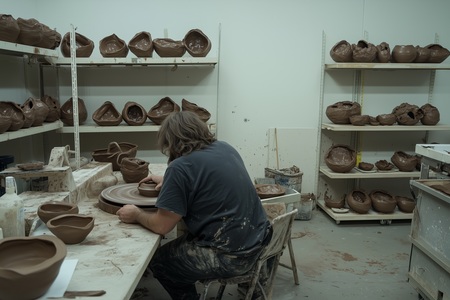
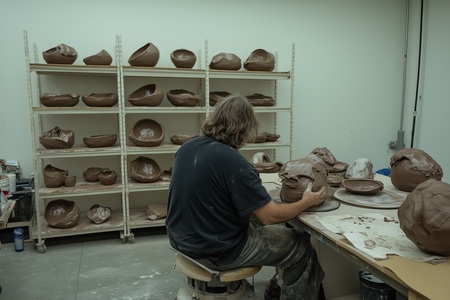
Цель проекта — расширение и преобразование ранее созданной коллекции кружек в стартап-магазин керамики, включая разработку айдентики, организации производства и дизайна магазинов с помощью нейросети.
О ПРОЕКТЕ
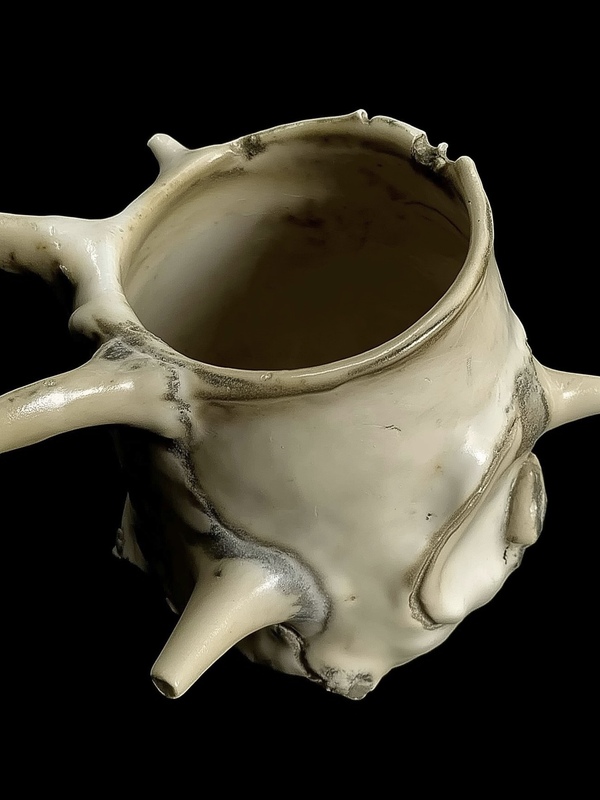
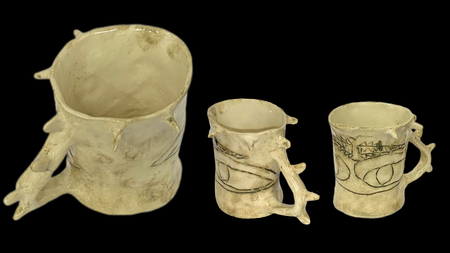
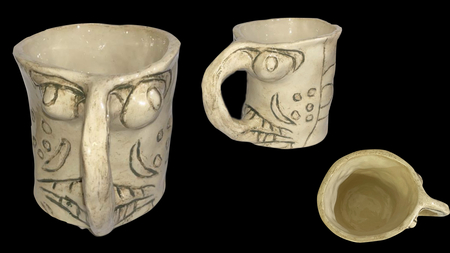
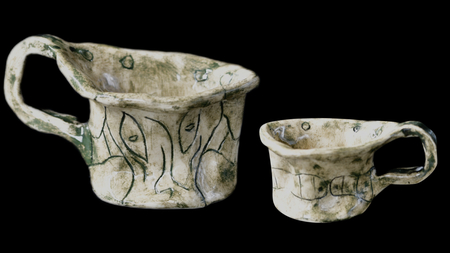
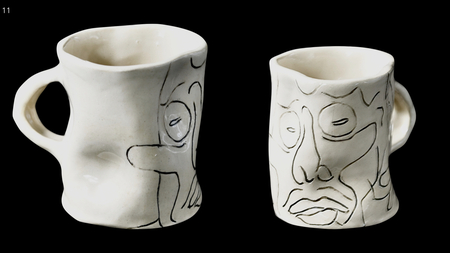
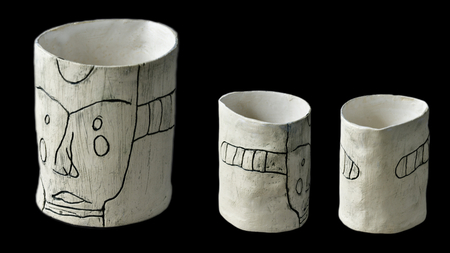
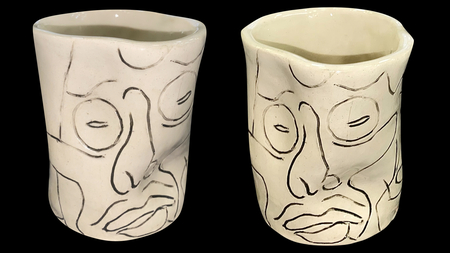
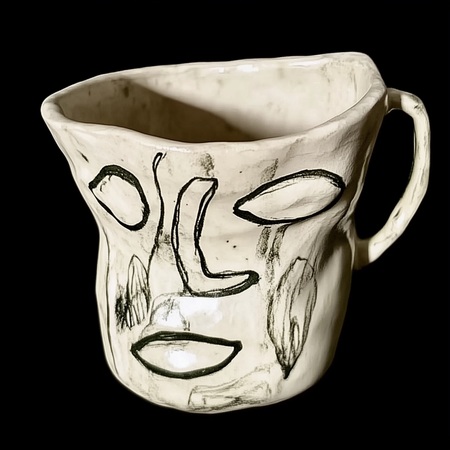
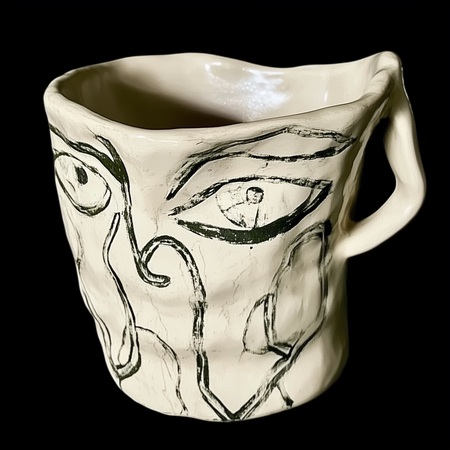
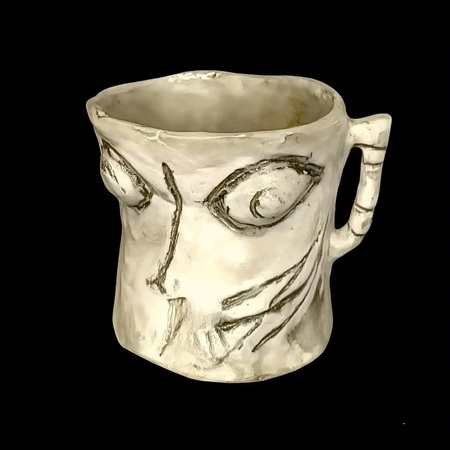
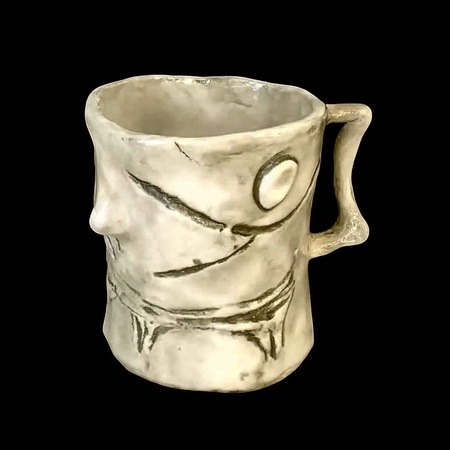
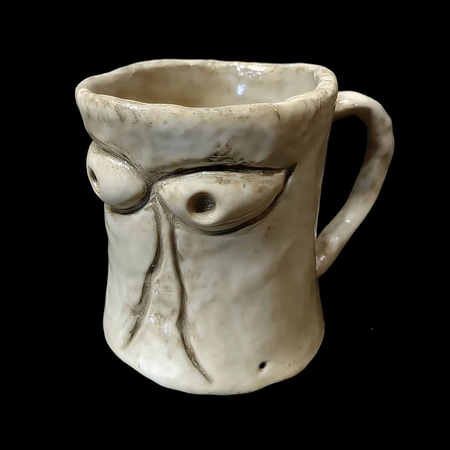
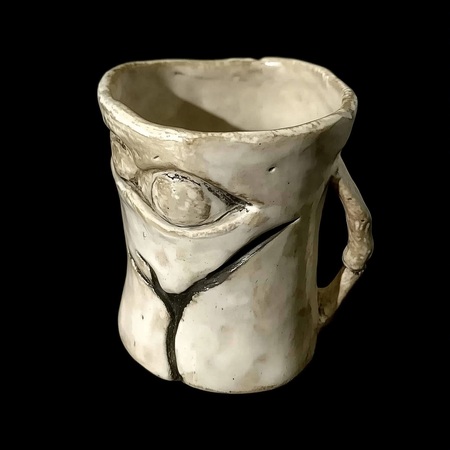
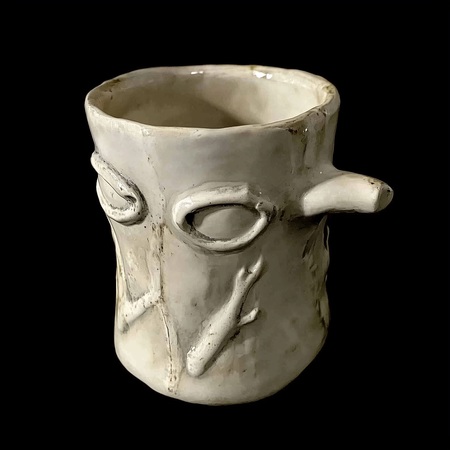
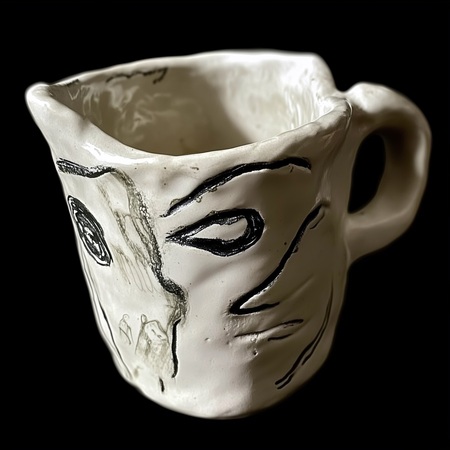
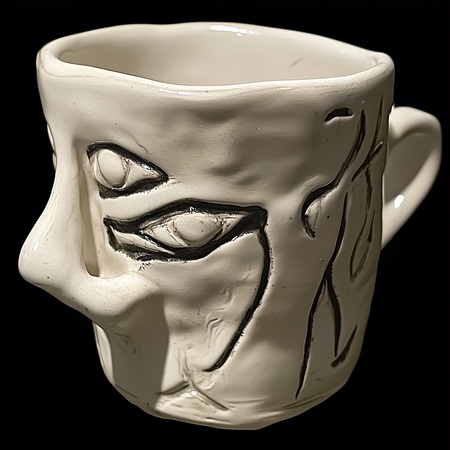
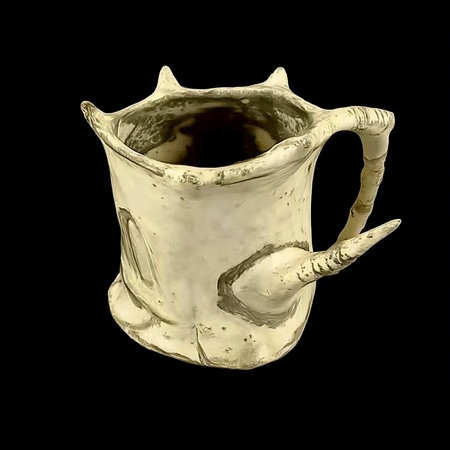
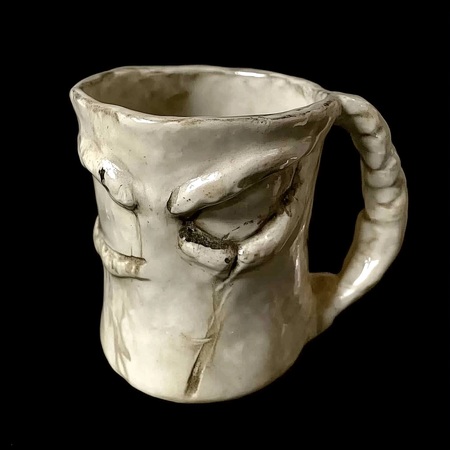
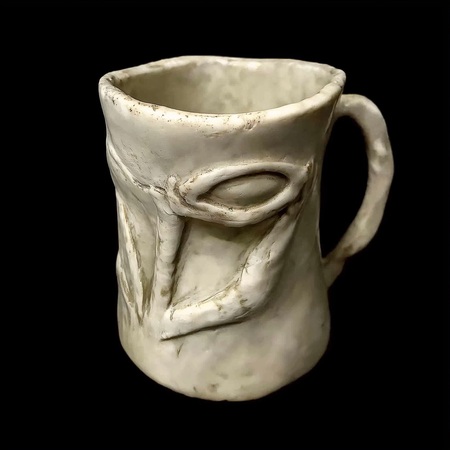
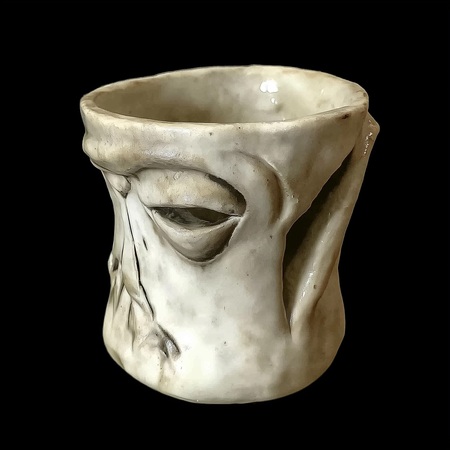
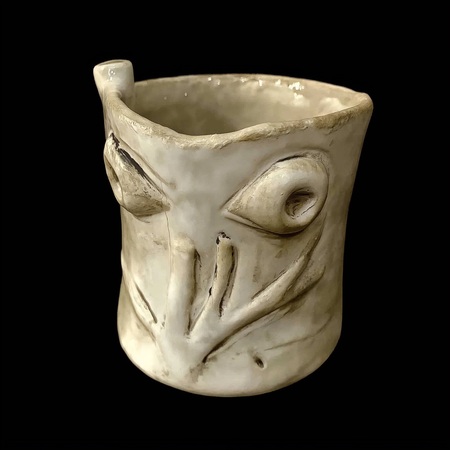
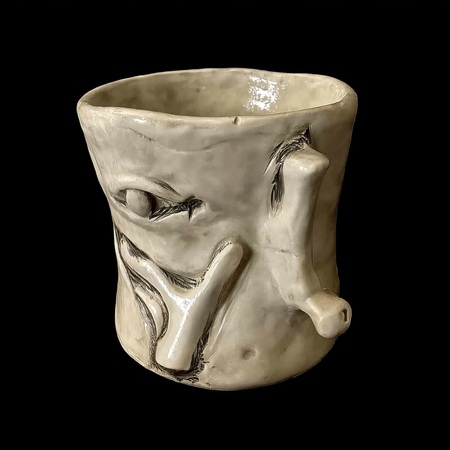
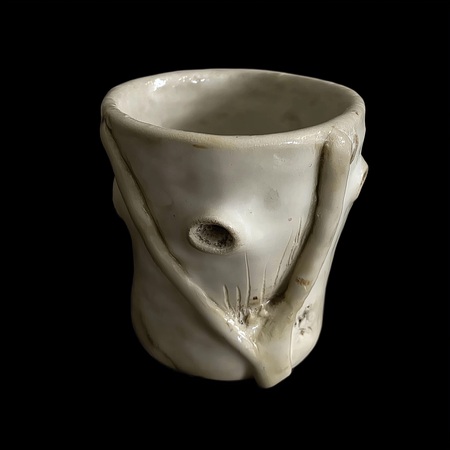
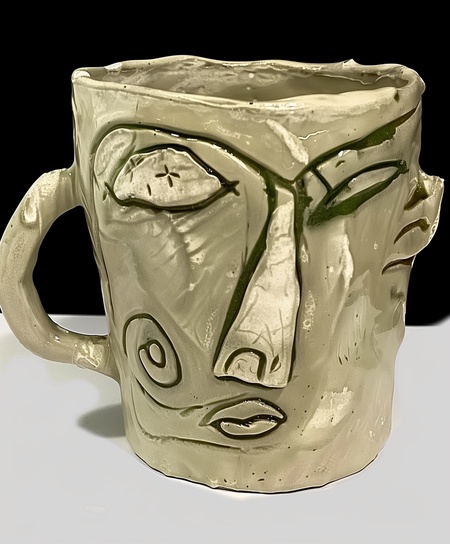
«The thing collection» — это коллекция кружек, каждая из которых имеет своё название, форму и рисунок. Вдохновением для коллекции стало изучение масок и их производства.
Название вдохновлено фильмом «The Thing», образы лиц и общая атмосфера тоже во многом берут своё начало из этого фильма.
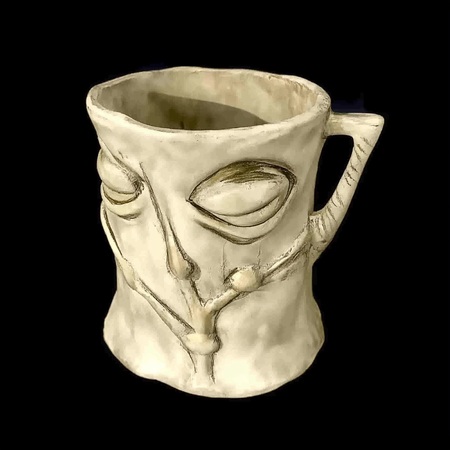
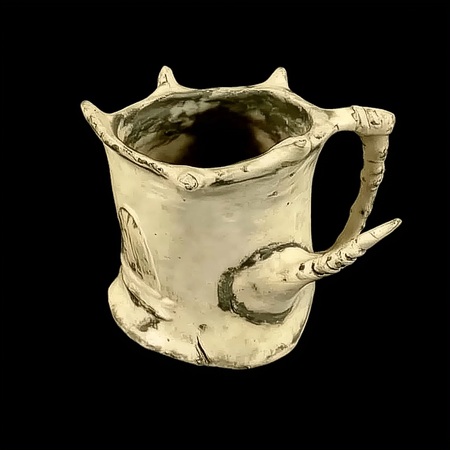
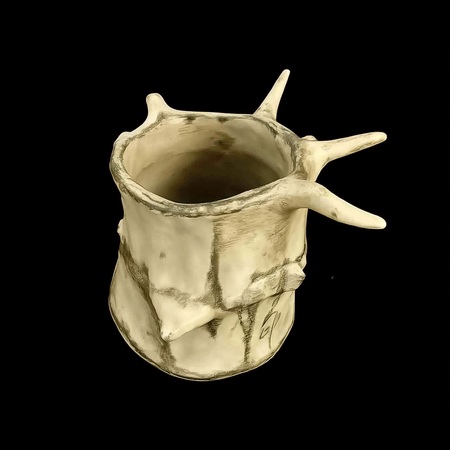
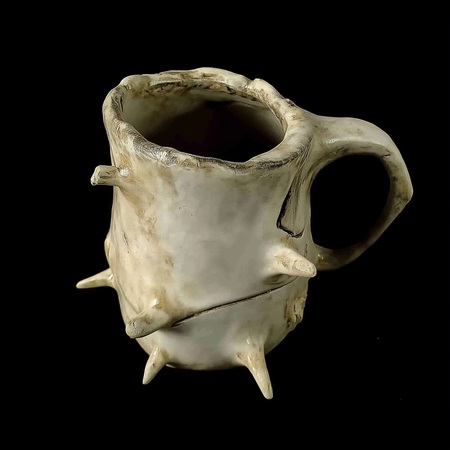
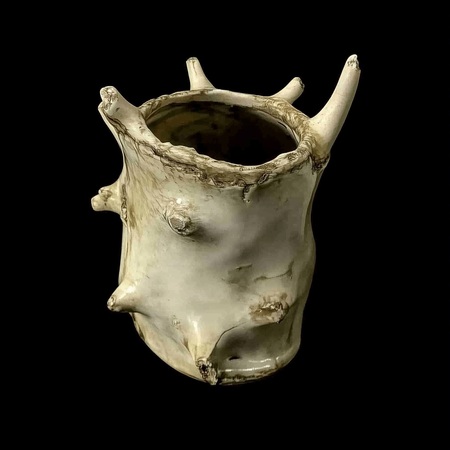
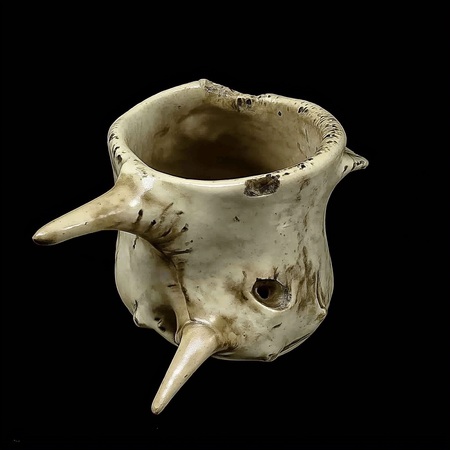
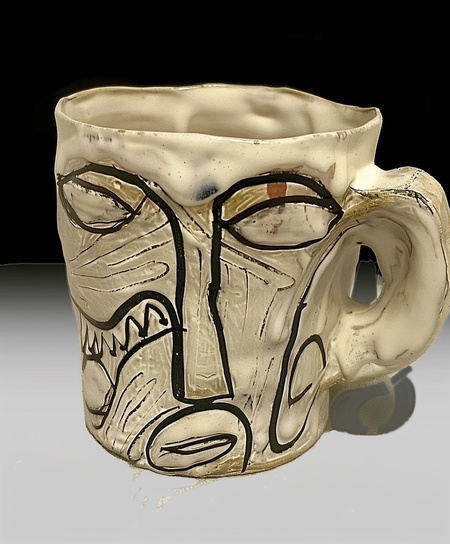
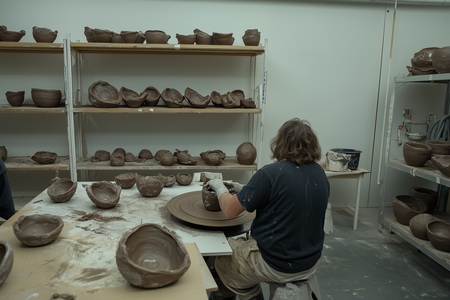
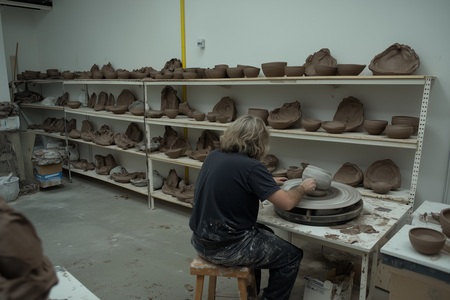
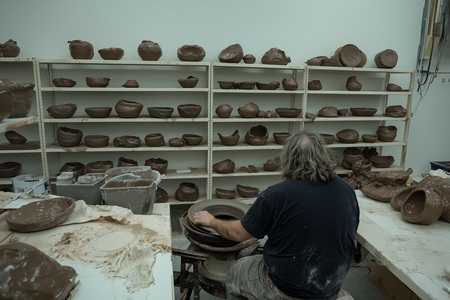
В основу стартапа для бренда «Your cup» легла коллекция кружек «The thing collection», дополненная вторым изданием, созданным при помощи нейросети. Для бренда была разработана айдентика и место производства, а также дизайн двух магазинов керамики, где будут продаваться эта и другие коллекции.
«Your cup» — бренд, производящий оригинальные кружки ручной работы. На нашем производстве работают местные жители города, ранее занимавшиеся творчеством и искусством. Также «Your cup» тесно сотрудничает с практикующими художниками и периодически выпускает коллекции в коллаборации с разными деятелями искусства.
«Your cup» — это возможность купить оригинальную кружку ручной работы, созданную в единственном экземпляре, и сделать вашу жизнь красочнее даже во время кофе-брейка.
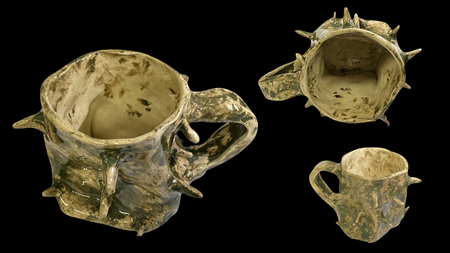
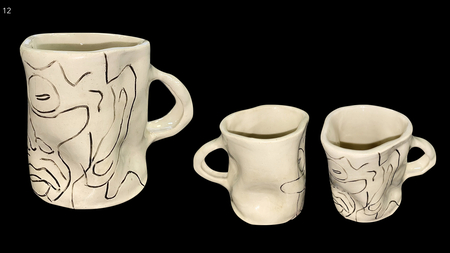
Генерация изображений выполнена в Midjourney. Автором использовались функции написания текстового промпта, использования референсов, создания вариаций (vary subtle, vary strong), редактирования части изображения (edit), а также функция remix.
https://www.midjourney.com/explore?tab=top
.
https://portfolio.hse.ru/Project/226235
(ссылка на проект в старом портфолио)
THE THING COLLECTION //1st edition//
THE THING COLLECTION //2nd edition//
A hand made sloppily made mug. (изображения новых версий кружек были созданы с использованием референсов уже созданных ранее кружек) (+ blend) (а также функция вариации vary strong, remix)
Мы используем файлы cookies для улучшения работы сайта НИУ ВШЭ и большего удобства его использования. Более подробную...
Показать больше
Press space bar to start a drag.
When dragging you can use the arrow keys to move the item around and escape to cancel.
Some screen readers may require you to be in focus mode or to use your pass through key
Press space bar to start a drag.
When dragging you can use the arrow keys to move the item around and escape to cancel.
Some screen readers may require you to be in focus mode or to use your pass through key
Press space bar to start a drag.
When dragging you can use the arrow keys to move the item around and escape to cancel.
Some screen readers may require you to be in focus mode or to use your pass through key
Press space bar to start a drag.
When dragging you can use the arrow keys to move the item around and escape to cancel.
Some screen readers may require you to be in focus mode or to use your pass through key
Press space bar to start a drag.
When dragging you can use the arrow keys to move the item around and escape to cancel.
Some screen readers may require you to be in focus mode or to use your pass through key
Press space bar to start a drag.
When dragging you can use the arrow keys to move the item around and escape to cancel.
Some screen readers may require you to be in focus mode or to use your pass through key
Press space bar to start a drag.
When dragging you can use the arrow keys to move the item around and escape to cancel.
Some screen readers may require you to be in focus mode or to use your pass through key
Press space bar to start a drag.
When dragging you can use the arrow keys to move the item around and escape to cancel.
Some screen readers may require you to be in focus mode or to use your pass through key
Press space bar to start a drag.
When dragging you can use the arrow keys to move the item around and escape to cancel.
Some screen readers may require you to be in focus mode or to use your pass through key
Press space bar to start a drag.
When dragging you can use the arrow keys to move the item around and escape to cancel.
Some screen readers may require you to be in focus mode or to use your pass through key
Press space bar to start a drag.
When dragging you can use the arrow keys to move the item around and escape to cancel.
Some screen readers may require you to be in focus mode or to use your pass through key
Press space bar to start a drag.
When dragging you can use the arrow keys to move the item around and escape to cancel.
Some screen readers may require you to be in focus mode or to use your pass through key
Press space bar to start a drag.
When dragging you can use the arrow keys to move the item around and escape to cancel.
Some screen readers may require you to be in focus mode or to use your pass through key
Press space bar to start a drag.
When dragging you can use the arrow keys to move the item around and escape to cancel.
Some screen readers may require you to be in focus mode or to use your pass through key
Press space bar to start a drag.
When dragging you can use the arrow keys to move the item around and escape to cancel.
Some screen readers may require you to be in focus mode or to use your pass through key
Press space bar to start a drag.
When dragging you can use the arrow keys to move the item around and escape to cancel.
Some screen readers may require you to be in focus mode or to use your pass through key
Press space bar to start a drag.
When dragging you can use the arrow keys to move the item around and escape to cancel.
Some screen readers may require you to be in focus mode or to use your pass through key
Press space bar to start a drag.
When dragging you can use the arrow keys to move the item around and escape to cancel.
Some screen readers may require you to be in focus mode or to use your pass through key
Press space bar to start a drag.
When dragging you can use the arrow keys to move the item around and escape to cancel.
Some screen readers may require you to be in focus mode or to use your pass through key